
Grow every order with gifts, bundles & tiered discounts
BulkBurst Pro runs every promotion your store needs from one app — gift with purchase, BOGO, bundles, quantity breaks and upsells — with discounts applied automatically at checkout.
- No theme code
- Native checkout discounts
- Dawn & Horizon themes
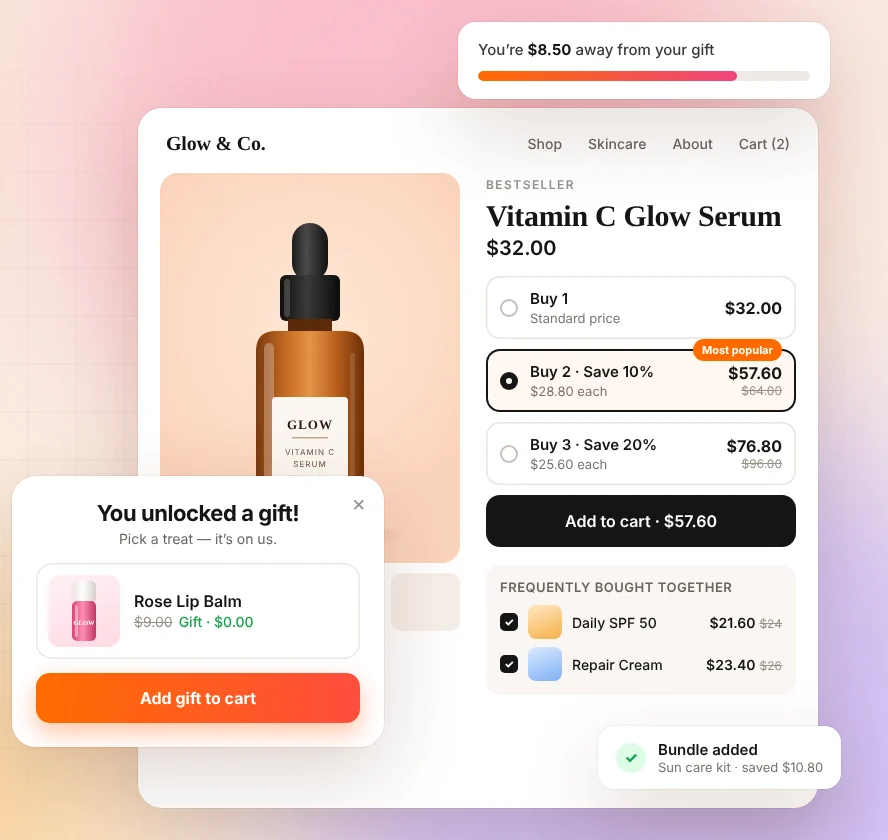
Everything you need to raise order value
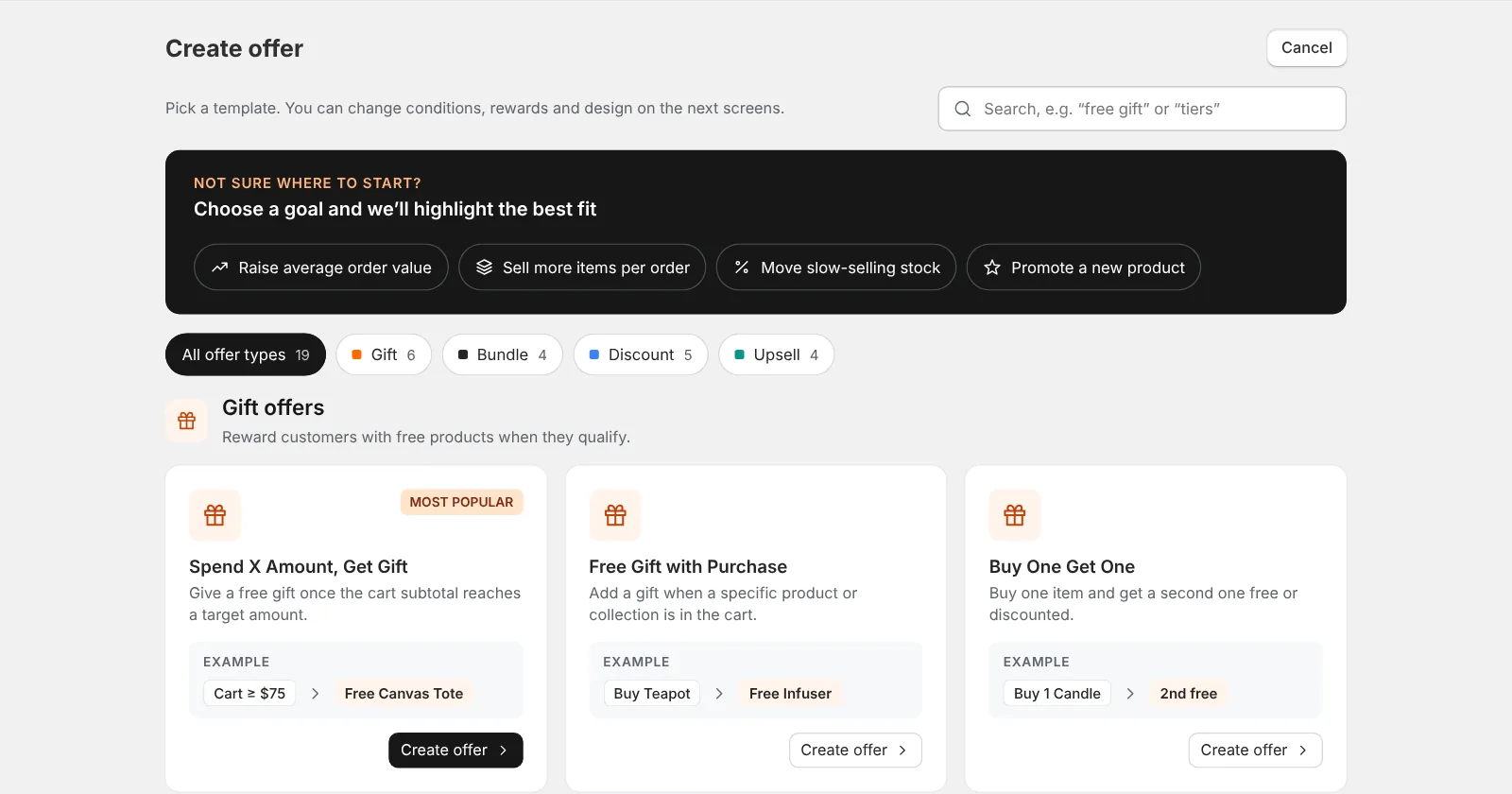
Pick from 19 ready-made templates. Each one becomes a Shopify automatic discount, so customers never type a code.
Gift with purchase
Reward carts that reach a goal.
- Spend X, get a gift
- Buy One Get One, Buy X Get Y
- Auto-add or choose in a popup
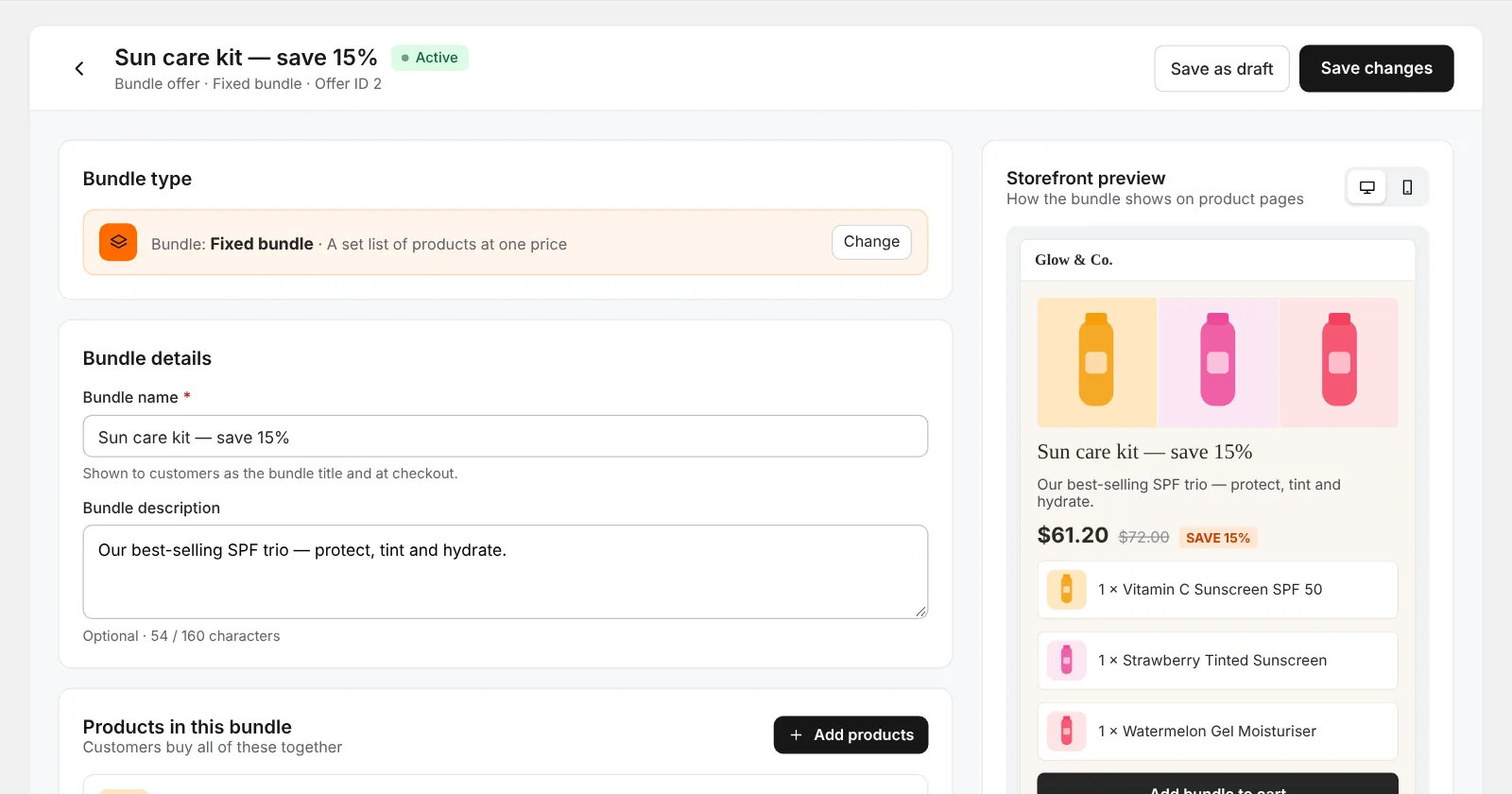
Bundles
Sell products together for less.
- Fixed and mix & match
- Volume bundles
- Build your own box
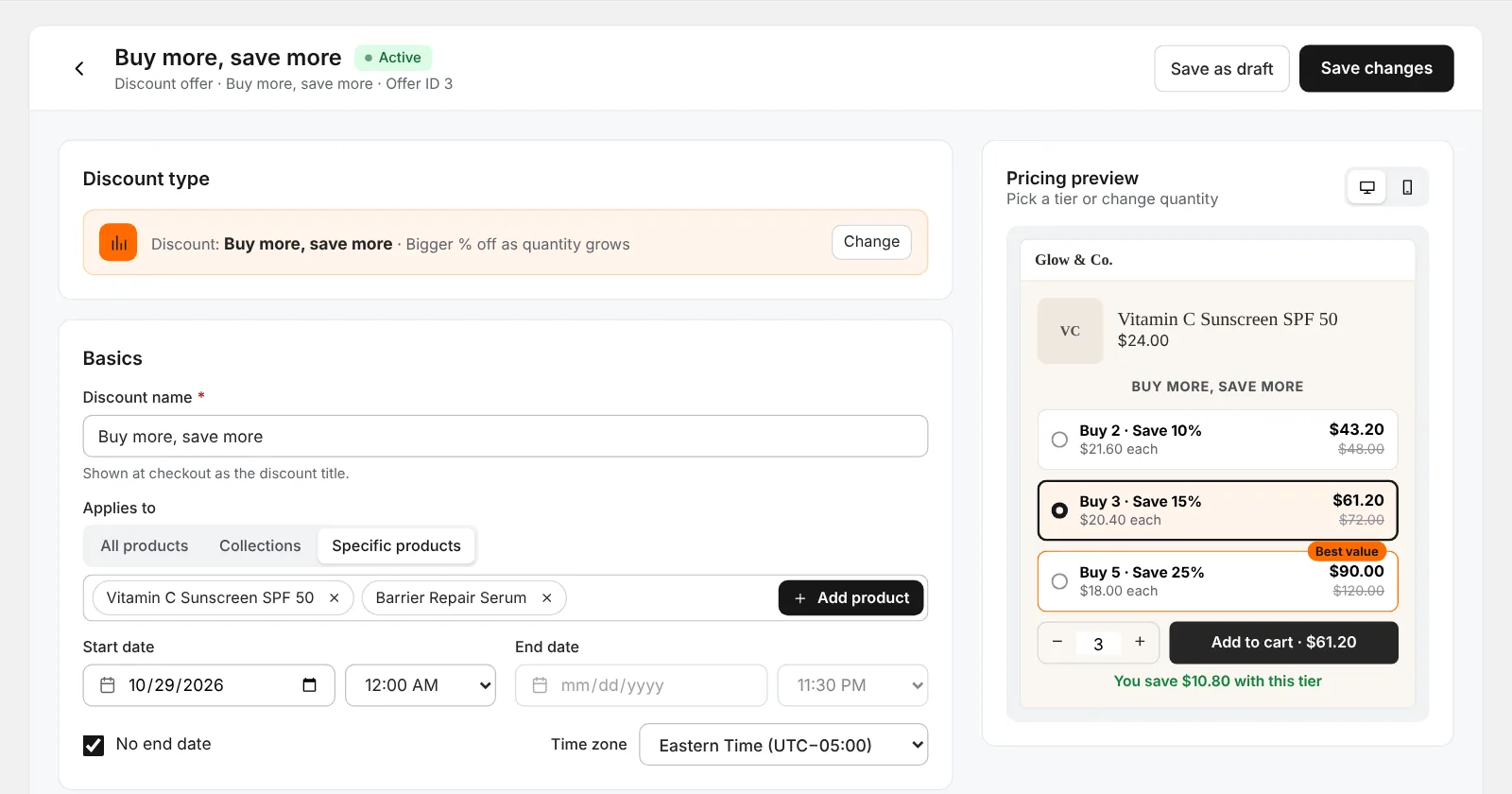
Tiered & volume discounts
Bigger savings as carts grow.
- Quantity breaks with badges
- Spend tiers and cart discounts
- Discount the cheapest item
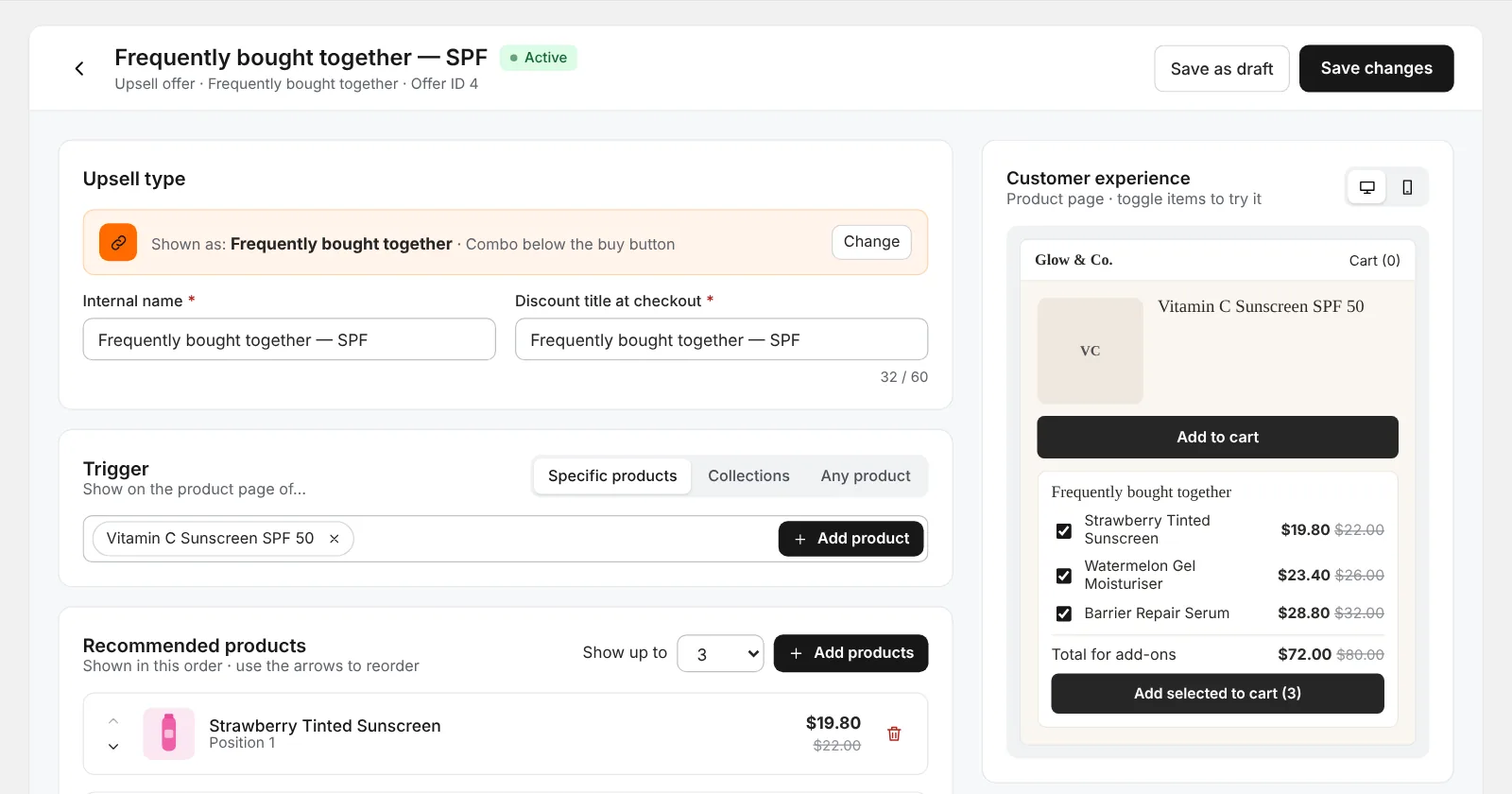
Upsells
Suggest the right add-on.
- Frequently bought together
- Product page upsells
- One-click cart upsells
Launch a promotion in minutes
Choose a template, or tell BulkBurst your goal — raise average order value, sell more per order, move slow stock or promote a new product — and it highlights the best fit.
- 19 templates across gifts, bundles, discounts and upsells
- Schedule start and end dates in your store’s time zone
- Target all, new, returning or tagged customers
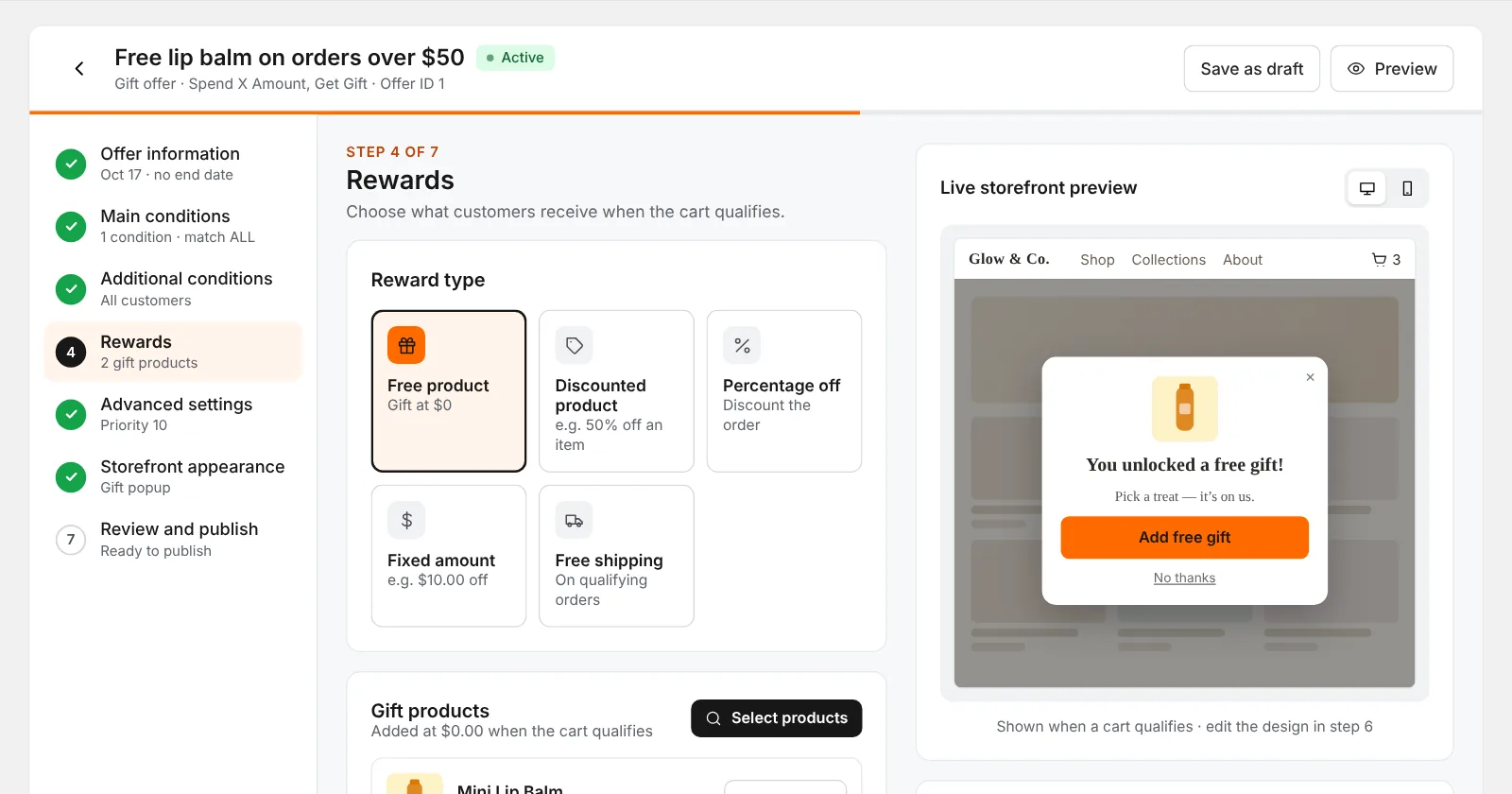
See it on your store as you build
Every editor shows a live storefront preview, and pre-publish checks catch missing products and low gift stock before customers see them.
- Gift popup or automatic add-to-cart
- Stock shown for every gift
- Combine with your other discounts, or set a priority
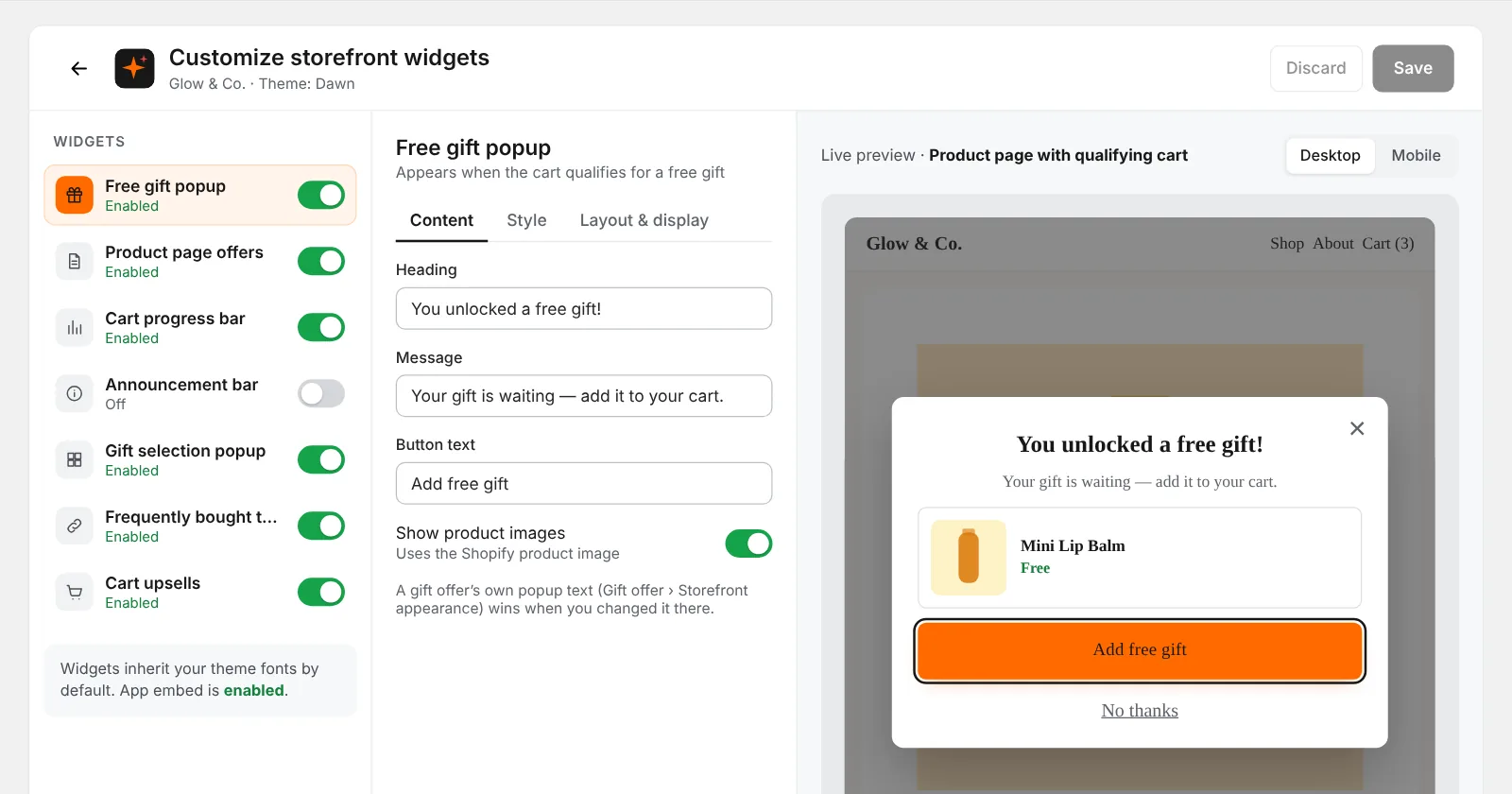
Widgets that look like your theme
Widgets inherit your theme’s fonts. Set colours, corners and text once in Customize and check the preview on desktop and mobile.
- Gift popup, product offers, progress bar and cart upsells
- Announcement bar with your own message
- Translate widget text for each store language
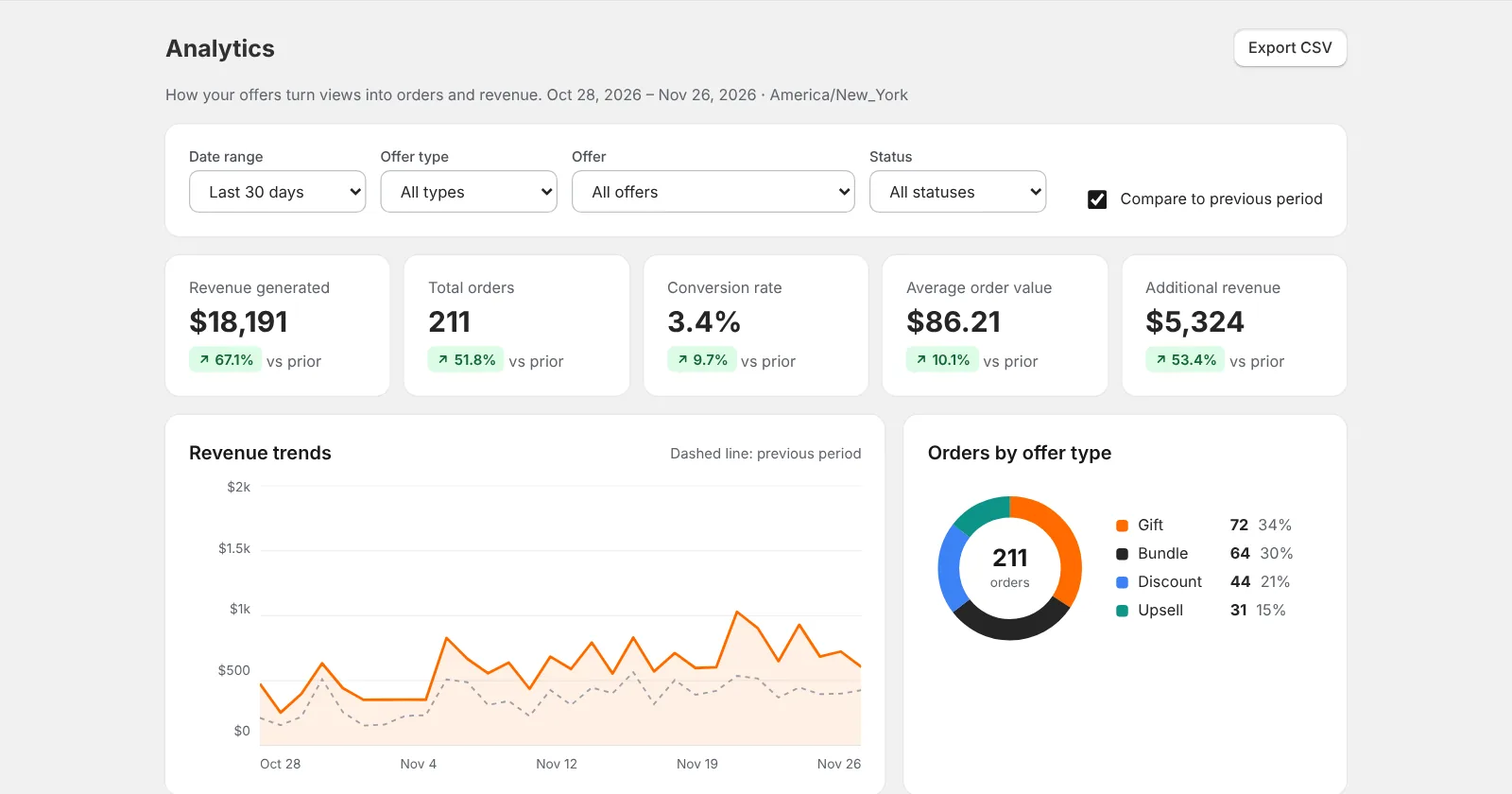
Know what every promotion earns
Revenue, orders, average order value and conversion for each promotion, compared with the previous period. Export to CSV any time.
- Dashboard with key numbers and top promotions
- Conversion funnel from view to order
- Send events to GA4 and Meta Pixel
A builder for every promotion type
Cart progress bar
Shows how far the cart is from the next reward.
Native checkout
Discounts run in Shopify Functions inside checkout.
Theme blocks
Place product and cart offers exactly where you want.
Scheduling
Promotions switch on and off automatically.
Integrations
Shopify Flow, UpCart, subscriptions, GA4 and Meta.
Stock aware
Sold-out products are left out of offers.
Live in three steps
Install and turn on
Install from the Shopify App Store and switch on the BulkBurst app embed in your theme — one click, no code.
Create a promotion
Pick a template, choose products and rewards, and watch the live preview. Publish when the checks are green.
Watch orders grow
Customers see the offer on product pages and in the cart; the discount applies automatically at checkout.
Simple plans, billed through Shopify
Free
Try every promotion type.
- 10 offer orders per month
- All offer types
- Widgets that match your theme
- “Powered by BulkBurst” on widgets
Pro
For stores that run promotions all year.
- Unlimited offer orders
- Analytics & integrations
- No BulkBurst branding
- Custom CSS & JavaScript
- Priority support
Open BulkBurst Pro
BulkBurst Pro runs inside your Shopify admin. Already installed? Enter your store address to open it.
Questions? Read the FAQ or email [email protected].